live · rebuffer.azamatos.com
Rebuffer
See how a video player survives a bad network, in your browser, with the numbers viewers feel.
- unit tests for the framework-free core
- 554
- Playwright checks in Chromium, Firefox and WebKit, axe on every screen
- 178
- how far downloads land behind the network curve, never ahead
- 3–24 ms
- of JavaScript on Home, against a 100 kB budget
- 96.9 kB
Measured locally and in CI. CI numbers checked 28 Oct; the repeatability job runs every week.
01 · what it does
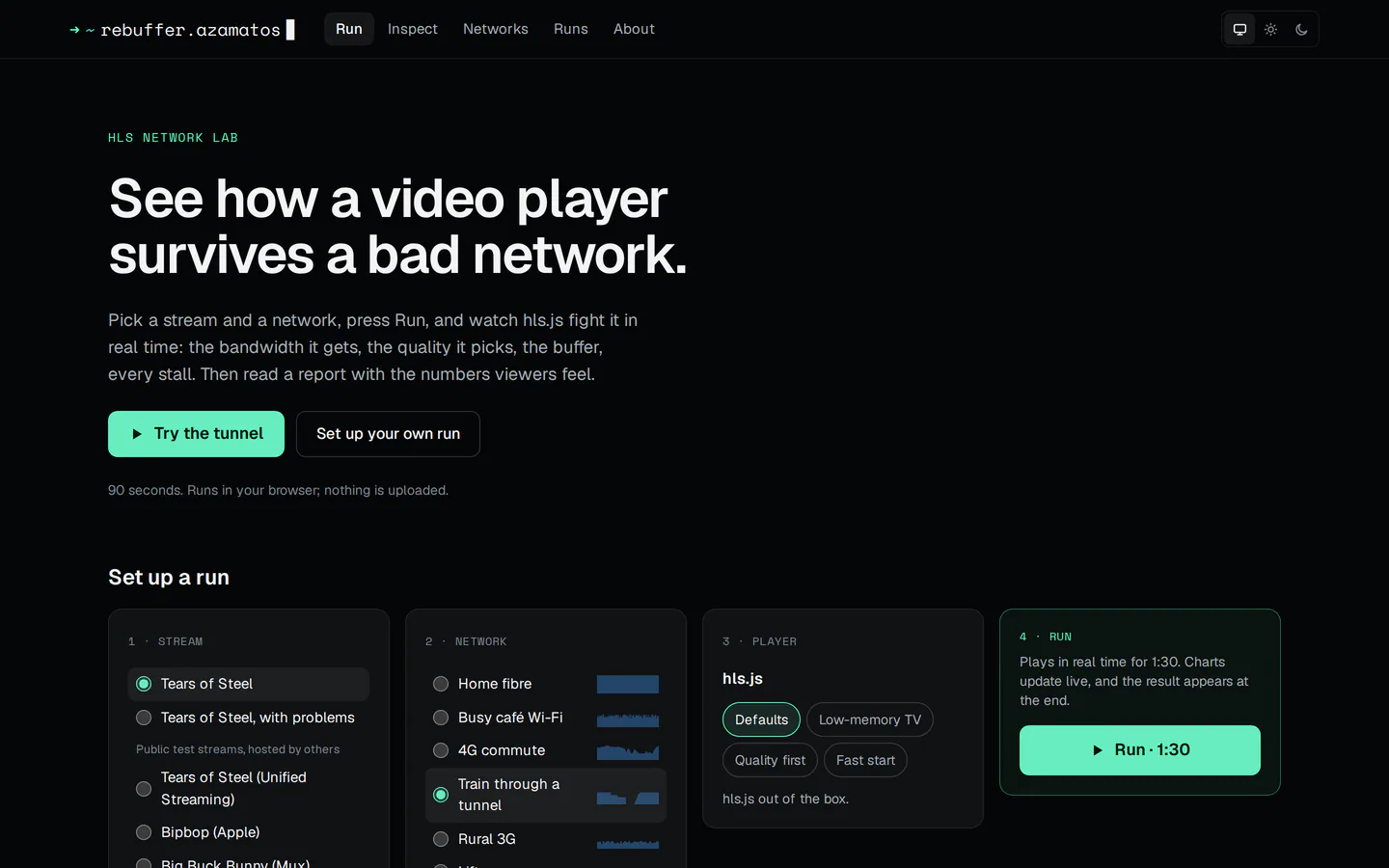
Pick a stream and a network, press Run, and watch a real hls.js player fight it.
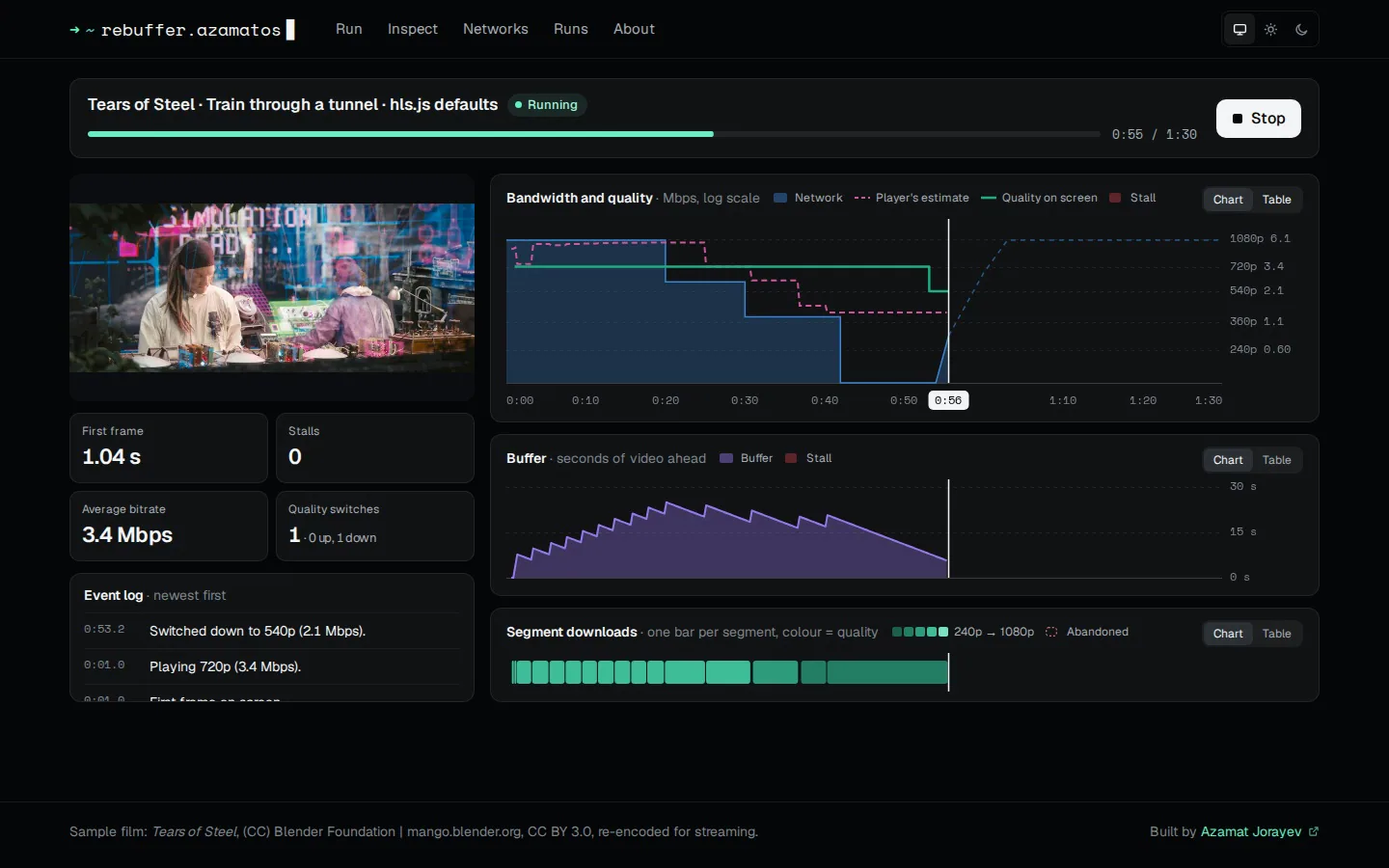
The bandwidth it gets, what it thinks it gets, the quality it picks, the buffer draining, every stall. Then a report with the numbers viewers feel, and what to try next.
Run
Any HLS stream through a simulated network, with three live charts on one time axis and an event log.
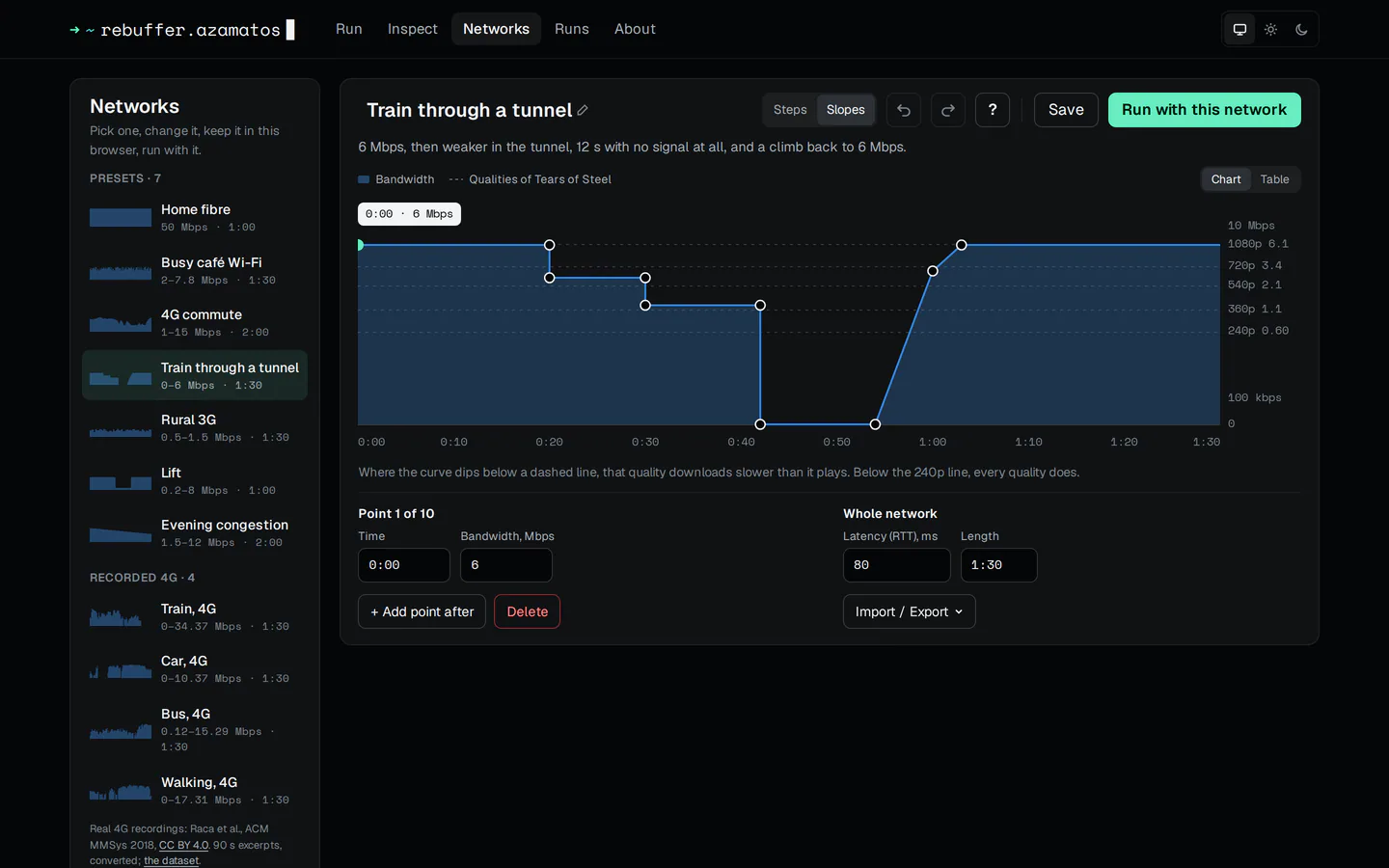
Draw a network
A bandwidth curve with the stream’s qualities drawn over it. Seven presets, four recorded 4G journeys, or your own.
Read the report
A score from a published QoE model, numbered notes on what happened when, and ideas to try next.
Change one thing and compare
Run B with another player setup or network: what changed, a verdict, and the charts overlaid.
Inspect a playlist
The ladder by codec, each segment’s bitrate against what’s declared, and findings with the spec they break.
Tune the player
hls.js defaults, a low-memory TV preset, quality first, fast start, or one setting changed.
02 · how it works
The player is the real one. The network is simulated where the player can’t tell.
- react
Screens
Setup, run, report, compare and inspect.
- unmodified
hls.js
Keeps its own loader, bandwidth estimator and abandon rules.
- service worker
Network shaper
Fetches the real bytes and releases them on the curve’s schedule.
- canvas
Log, charts, report
Charts draw from the event log every frame, never through React state.
Honest numbers
The simulation can slow a download down, never speed it up. A run says how many downloads were late because the visitor’s own network was slower.
Repeatable
Repeat runs take their bytes from a copy saved in the browser, so they don’t depend on the visitor’s connection.
A framework-free core
The playlist parser, network simulator, metrics and report text import no React, and the link scheduler is tested with a fake clock.
03 · draw a network
A network is a curve of bandwidth over time plus a latency. Draw one with the keyboard or a pointer, or import it.
04 · measured
Every network runs 5 times each week in CI. The largest score gap between runs of one network: 0.
| network | score | first frame | stalls | switches |
|---|---|---|---|---|
| Home fibre | 91 | 0.46 s–0.50 s | 0 | 1 |
| Busy café Wi-Fi | 44 | 3.39 s–3.42 s | 0 | 1 |
| 4G commute | 100 | 2.01 s–2.03 s | 0 | 4 |
| Train through a tunnel | 33 | 2.53 s–2.55 s | 1 | 3 |
| Rural 3G | 31 | 13.46 s–13.48 s | 0 | 1 |
| Lift | 78 | 1.90 s–1.91 s | 0 | 1 |
| Evening congestion | 79 | 1.39 s–1.42 s | 0 | 2 |
The latest weekly run in CI: Chromium 156.0.8078.4, hls.js 1.7.3; stream: synthetic, 2:00, five qualities from 240p (0.47 Mbps) to 1080p (6 Mbps), 4 s segments. Where runs differ, a cell shows the lowest and highest.
05 · built with
app
- React 19
- TanStack Router
- Zustand 5
- Zod 4
- Tailwind CSS 4
- Vite 8
- TypeScript 6
Home is rendered at build time, so the first screen needs no JavaScript to show.
video
- hls.js 1.7.3
- Service Worker
- IndexedDB
hls.js runs unmodified. The Service Worker shapes every request it makes, and saved runs and their bytes stay in the browser.
charts
- Canvas 2D
- own scales and drawing
0.1 ms per frame at the median, 1.8 ms at most, with the CPU throttled four times.
hosting
- Cloudflare
- static files
No backend and no accounts: runs and networks stay in the browser that made them.
quality
- Vitest
- Playwright
- axe
- size-limit
- Lighthouse CI
- GitHub Actions
CI fails on a bundle over budget or a Lighthouse score under 0.95; a repeatability job runs every preset 5 times each week.
06 · what shipped
- run, done:live charts and an event log on one time axis
- report, done:a QoE score, notes and ideas to try next
- networks, done:presets, recorded 4G journeys and an editor
- compare, done:change one thing, run B, see what changed
- inspect, done:the ladder, codecs and findings for any playlist
- themes, done:system, light and dark, axe on every screen
credits
- Sample film: Tears of Steel, (CC) Blender Foundation, used under CC BY 3.0, re-encoded for streaming.
- Recorded networks: excerpts of the Irish 4G dataset (Raca et al., ACM MMSys 2018, CC BY 4.0).
- Score: the linear QoE model from Yin et al., SIGCOMM 2015.